A Better Way to Procure Materials
Our platform is built to bring efficiency and transparency to every step of the procurement process, from the initial request to the final purchase order.
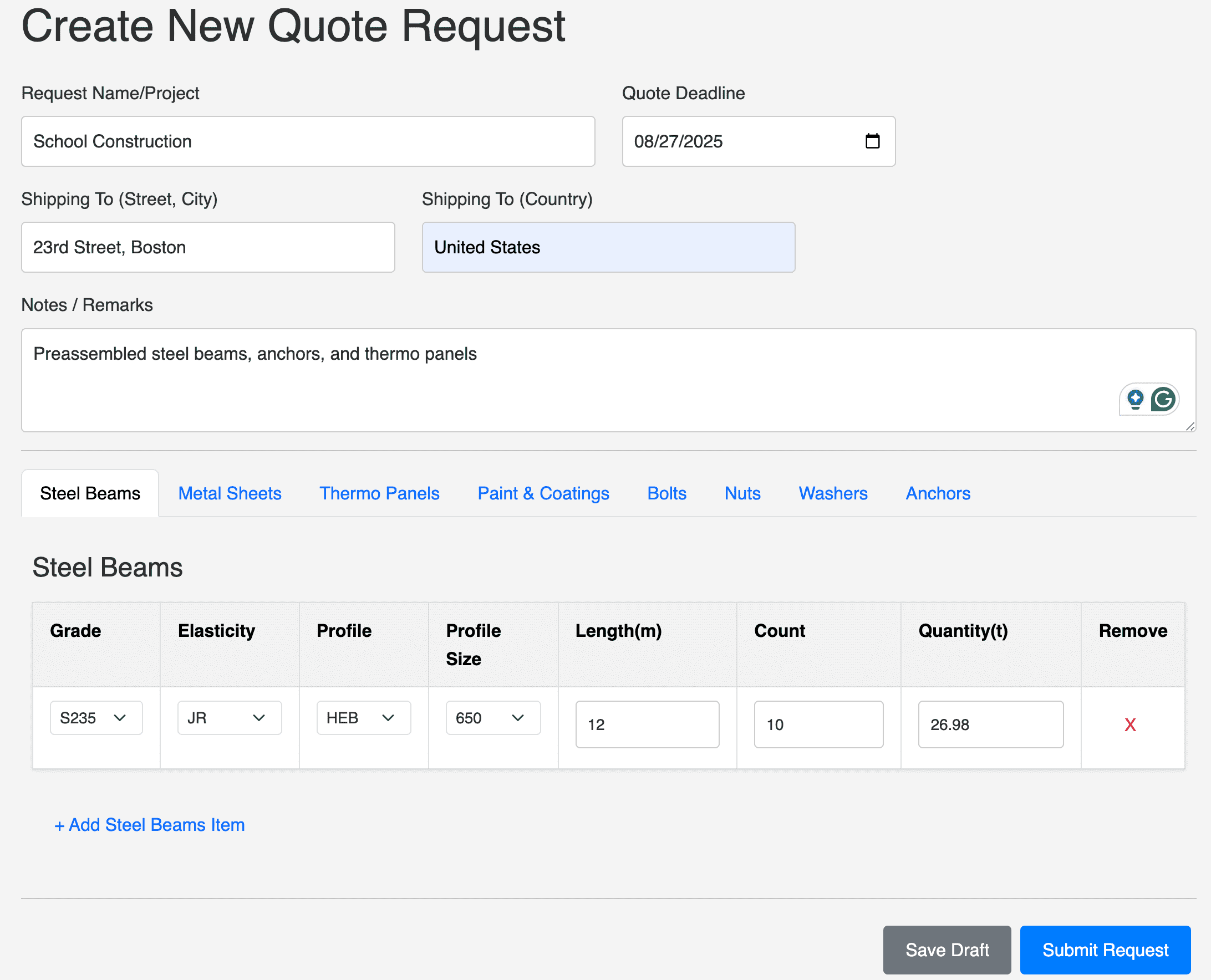
Create Your Request
Use our dynamic forms to build a detailed and standardized list of your material needs. Specify everything from steel grades and panel thicknesses to bolt dimensions. The more detail you provide, the more accurate your quotes will be.
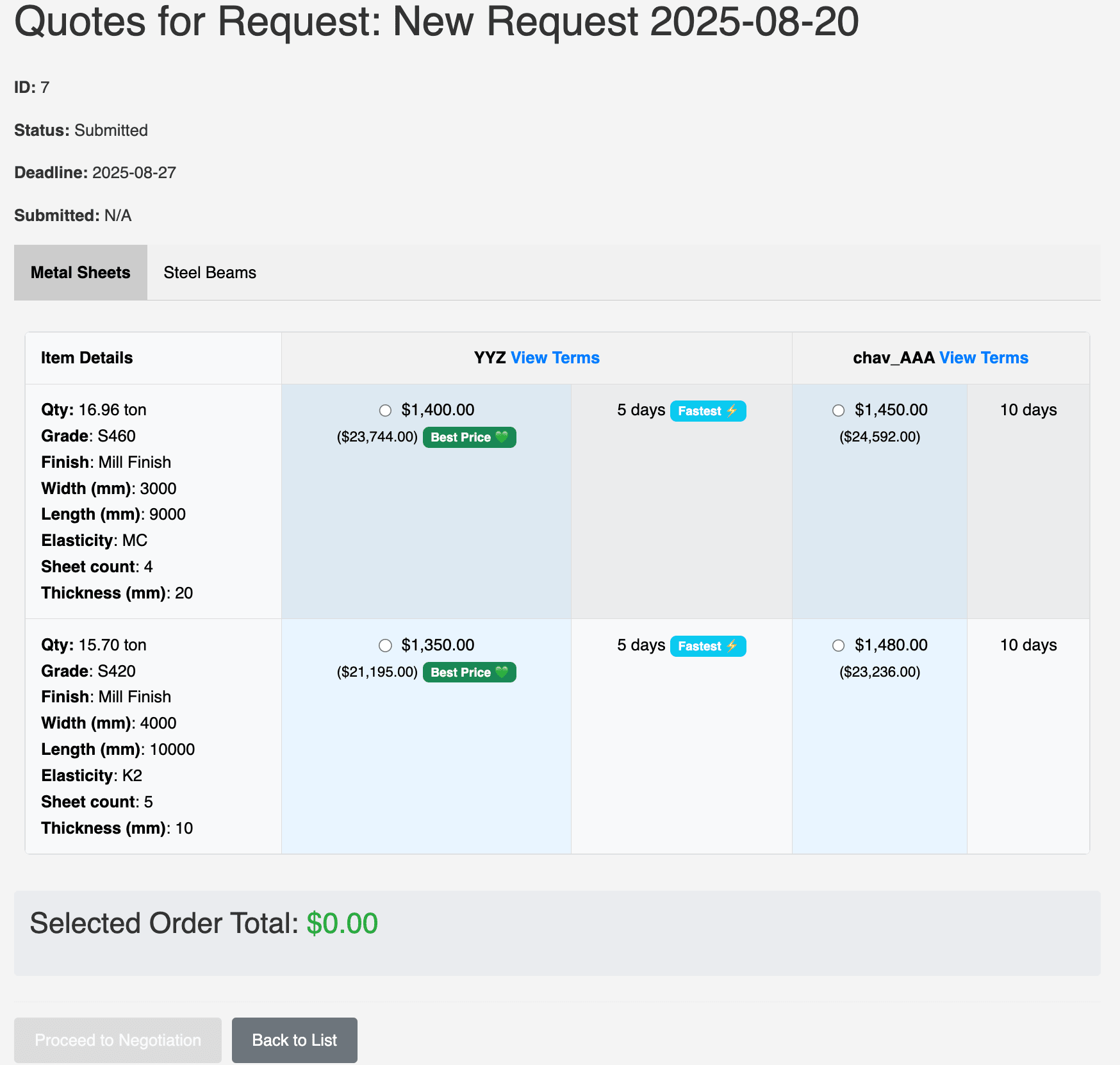
Compare Quotes Side-by-Side
No more messy spreadsheets. All supplier quotes are presented in a clean, side-by-side table, allowing you to easily compare unit prices, total costs, and delivery times. Click to view the specific payment and shipping terms for each offer.
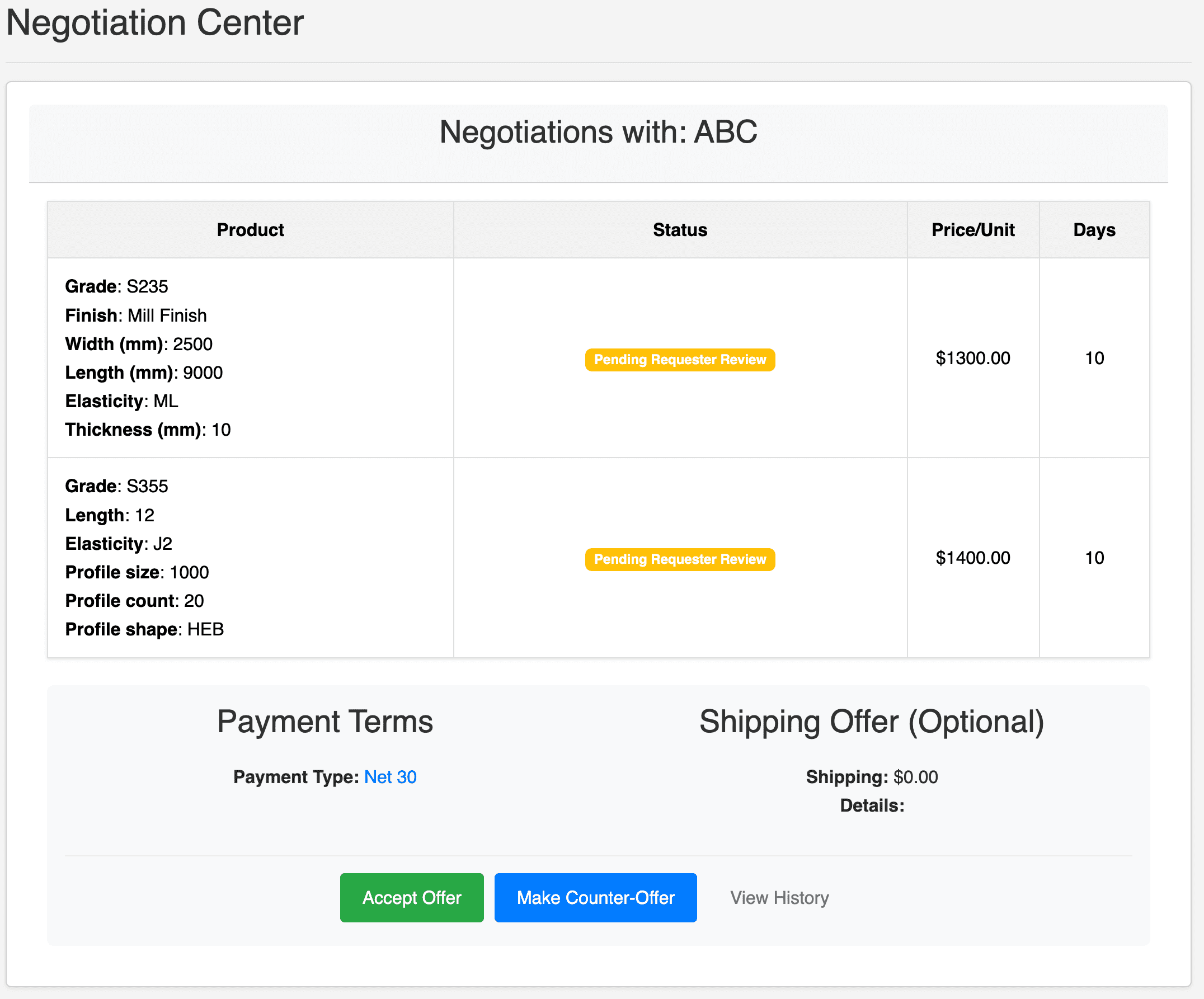
Negotiate Terms Directly
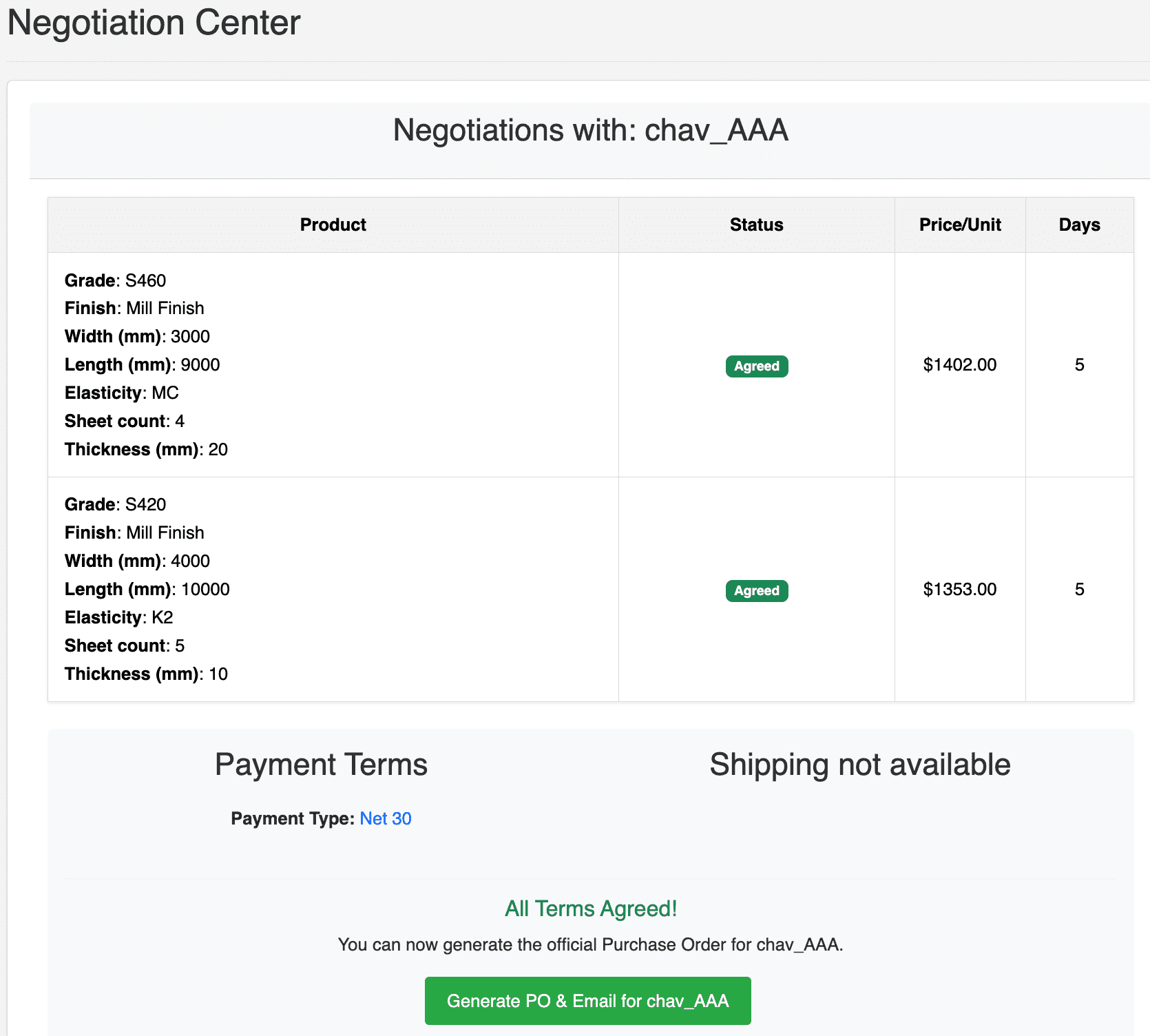
Our Negotiation Center provides a transparent workspace to finalize the deal. Accept the supplier's terms or make a counter-proposal on price, delivery, and commercial terms. A full history of every offer is tracked for clarity.
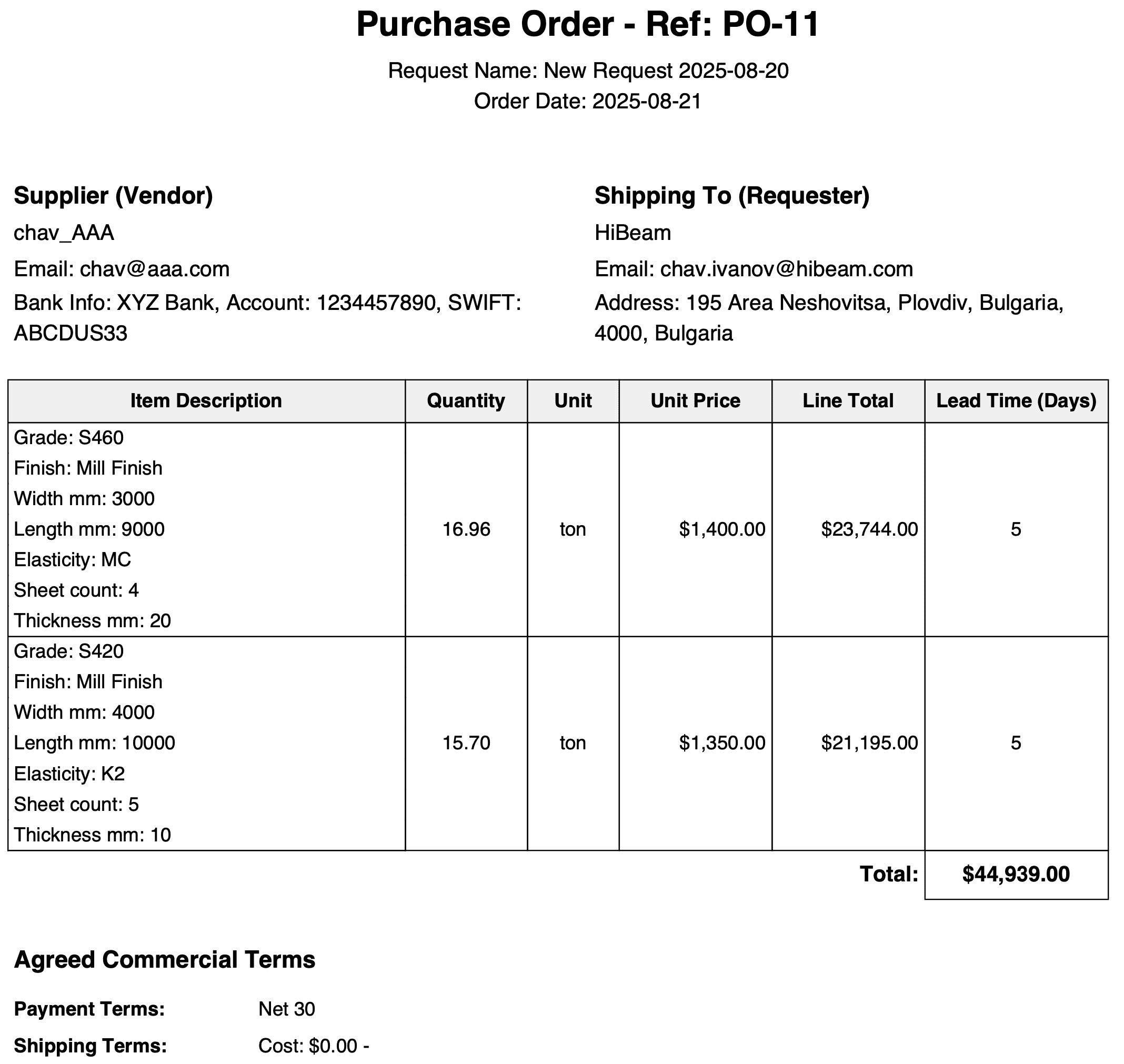
Finalize & Generate PO
Once all terms are agreed upon, you have the final say. With one click, generate an official, detailed Purchase Order (PO) in PDF format. The PO is automatically emailed to the supplier, creating a formal record of the transaction.
Join & Complete Your Profile
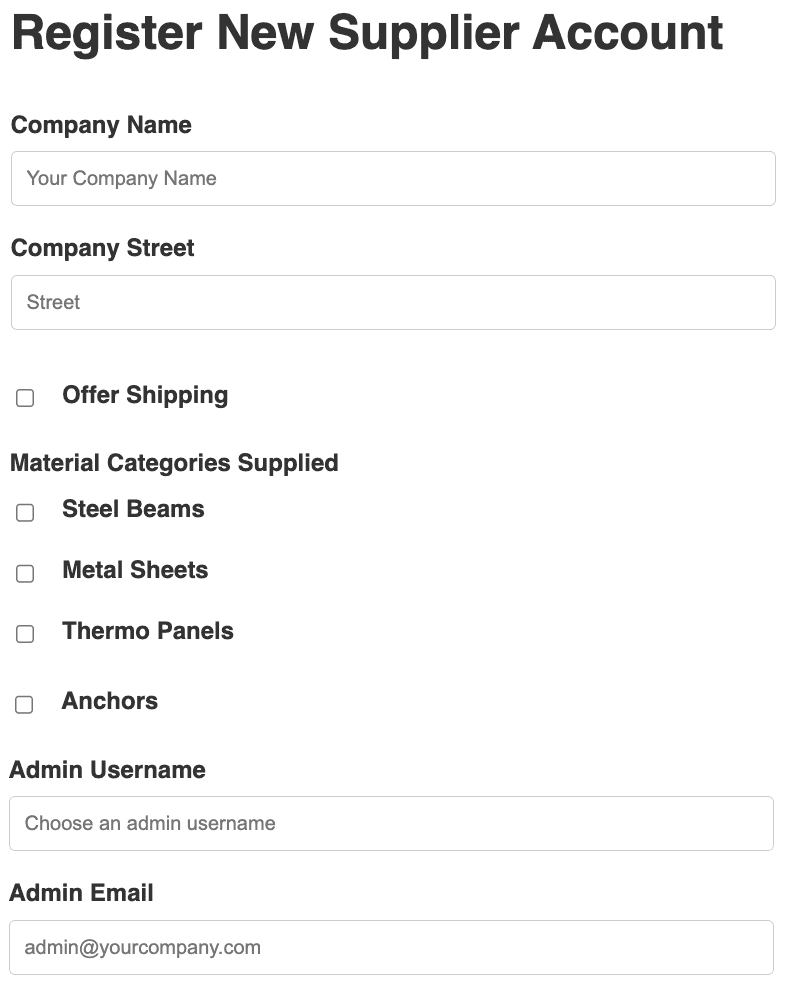
Register your company and complete your profile. Specify the material categories you supply and add your company details. Our team vets all new suppliers to maintain a high-quality network.
Find Opportunities in the Marketplace
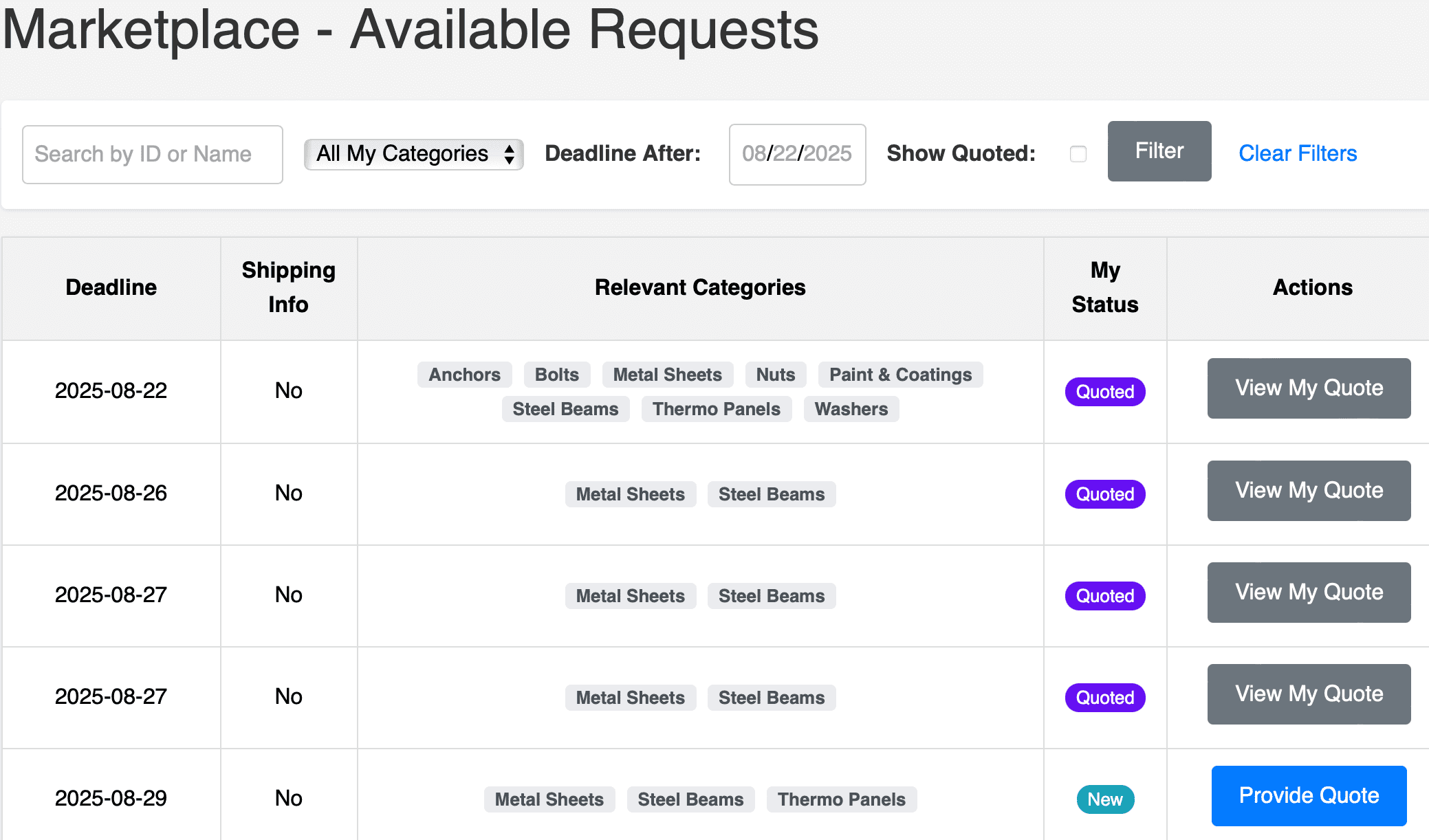
Your dashboard displays a live feed of open quote requests that match your specified material categories. See project deadlines and shipping locations to find the best fit for your business.
Submit Your Quote
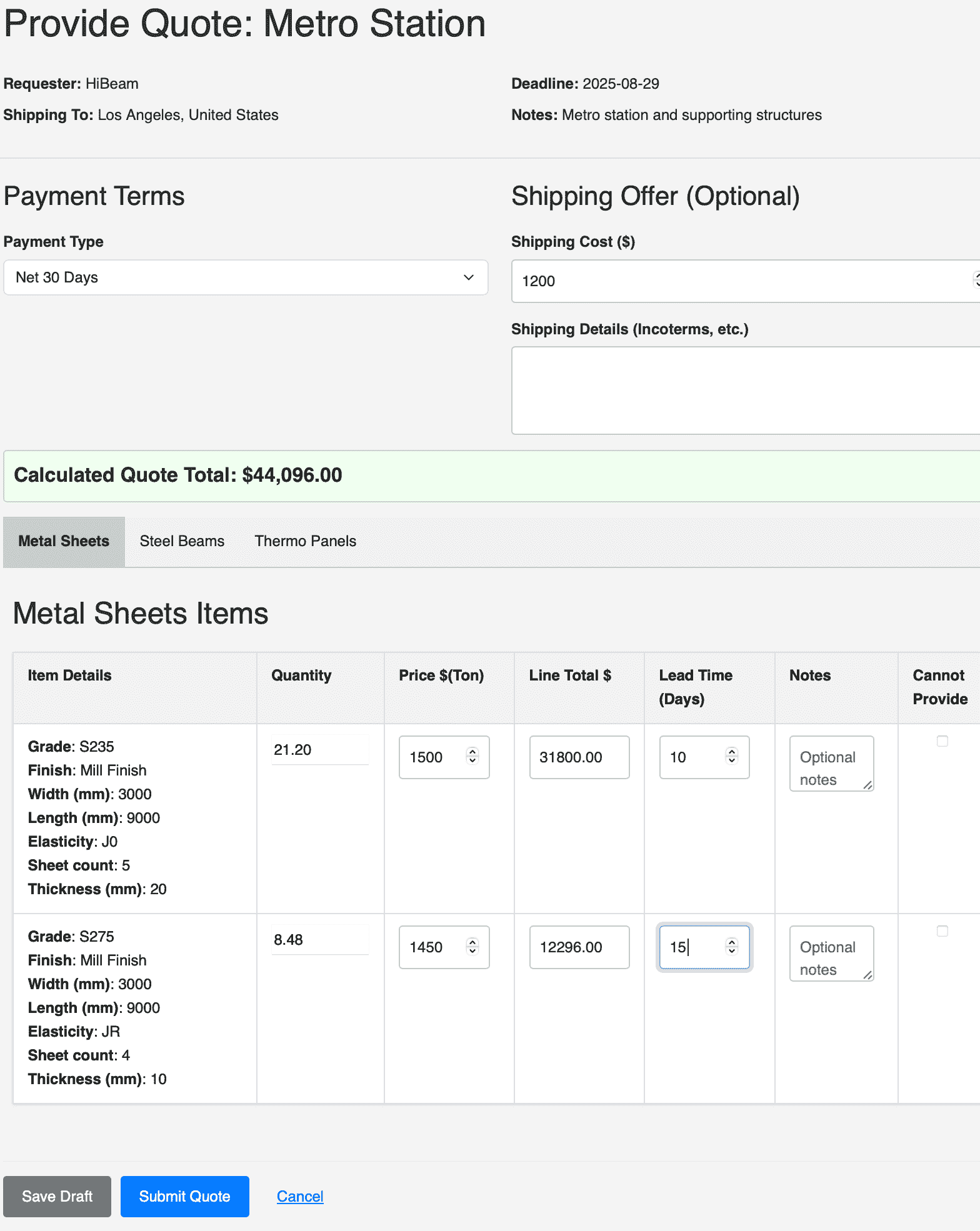
Use our structured quoting form to respond to requests. Provide per-item pricing and delivery times, and define your commercial terms for payment and shipping. Save drafts and submit when you're ready.
Negotiate & Receive Orders
Engage directly with requesters in the Negotiation Center to respond to counter-offers and finalize terms. Once the requester agrees and finalizes the order, you will receive an official Purchase Order via email, ready for you to confirm and fulfill.